

Extended Context: Handling Distant Legends
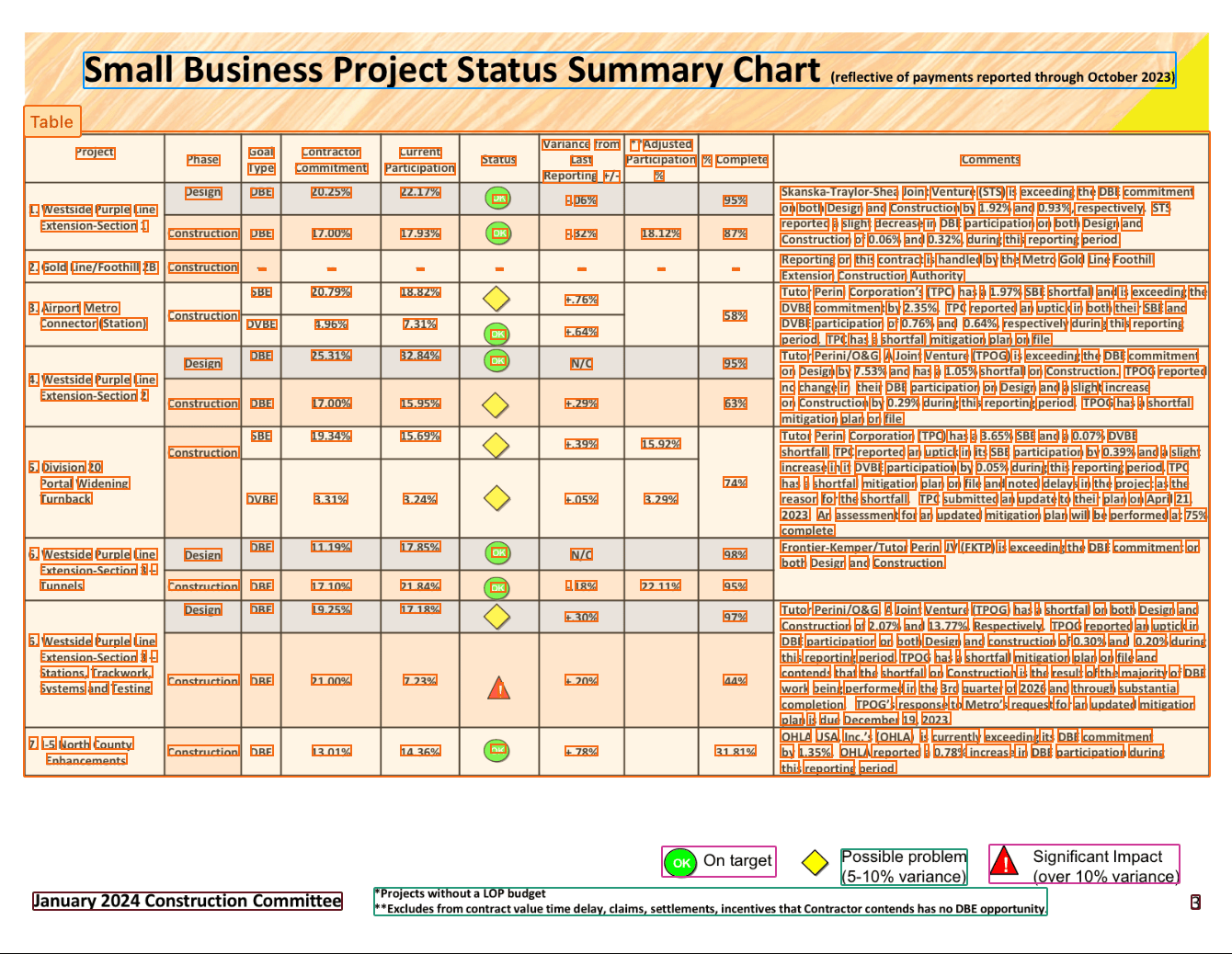
Layout analysis of a table with it's legend segmented separately.
extended_context. This provides the VLM with the full page image with the cropped segment as context.
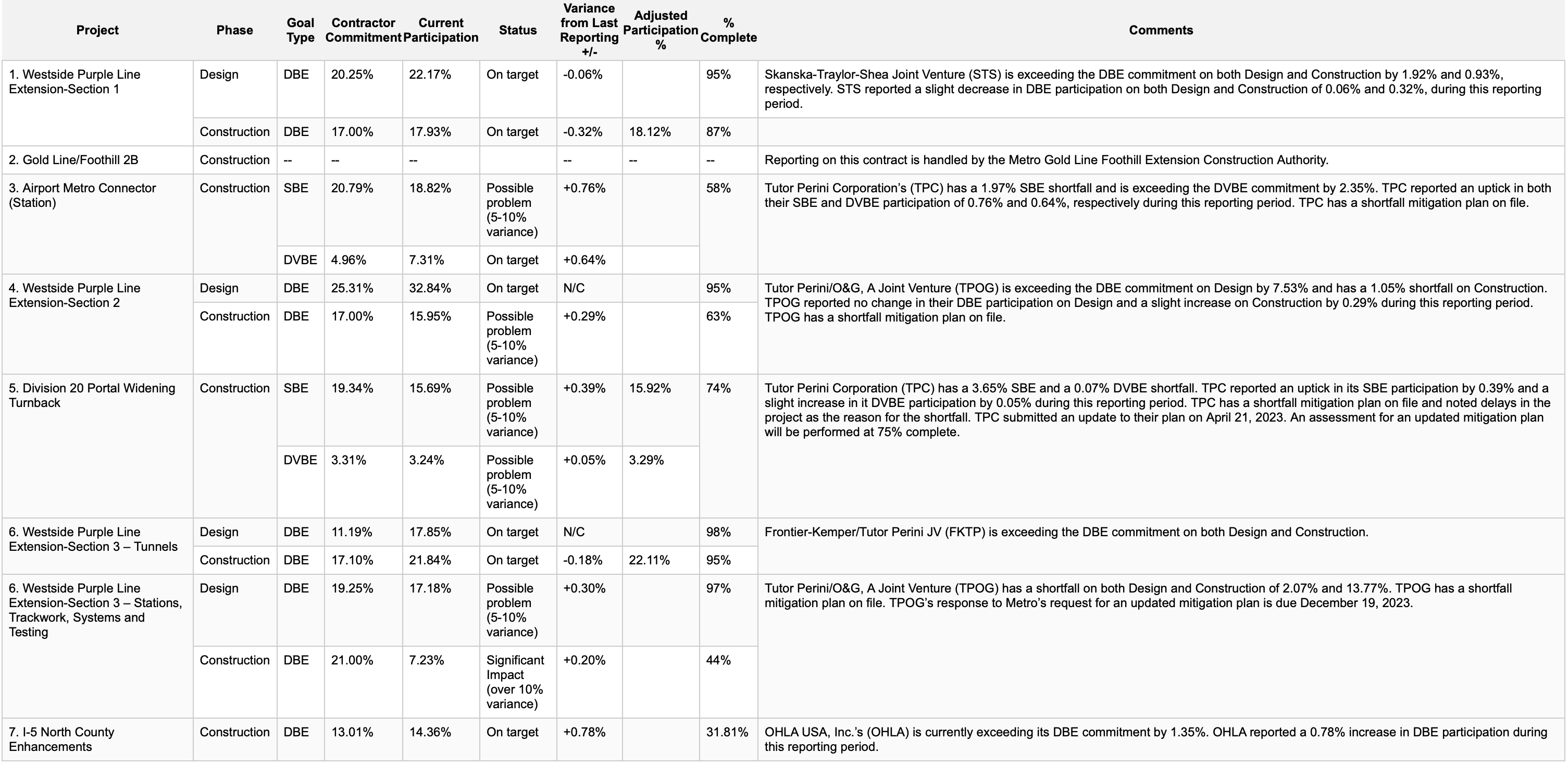
VLM parsing results of a table that was segmented separately from it's legend - leveraging extended context.
Table and Picture segments:
Full-Page VLM: Bypassing Layout Analysis
For documents where layout analysis struggles, or for simple documents where it’s unnecessary, you can bypass layout analysis entirely. By setting thesegmentation_strategy to Page, you can instruct Chunkr to process the entire page with a Vision Language Model (VLM) and generate Markdown directly.
This approach is highly effective for:
- Layout analysis failure: In the rare case that layout analysis struggles with a document’s structure.
- Simple Documents: Tiny, text-only, and uniform documents (e.g., receipts) where layout analysis offers no benefit and simple OCR is sufficient for bounding boxes.
Disabling Chunking for Non-RAG Workflows
If you’re using Chunkr for data extraction, document analysis, or other non-RAG workflows, you may want to disable chunking entirely. When chunking is disabled, each chunk in the output will contain exactly one segment. To disable chunking, settarget_length to 0 in the chunk_processing configuration:
Optimizing for speed
The most significant factor affecting processing time is VLM processing. By default, Chunkr uses VLM processing for the following segment types to ensure high-quality data extraction:- Tables
- Images
- Forms
- Legends
- Formulas
segment_processing configuration. This allows you to balance speed and quality based on your specific requirements.
Extracting Text Styling
By default, text segments are processed with OCR which captures the content but loses formatting information. If you need to preserve text styling such as bold, italicization, font colors, and other formatting details, you can enable VLM processing for text segments. This is useful for use cases like:- Redlining: Tracking changes and formatting in legal documents
- Document comparison: Identifying styling differences between versions
- Accessibility: Preserving semantic meaning conveyed through formatting
Ignoring Segment Types
When you only need specific types of content from your documents, you can ignore certain segment types entirely. This is useful for:- Focusing on specific content types (e.g., only tables and charts)
- Removing unwanted elements (e.g., headers, footers, page numbers)
- Simplifying output for targeted extraction workflows